
Cloud Backup for MSPs, Focused on Endpoints and Restores
Nimbus Black is a multi-tenant cloud backup platform for managed service providers. The current beta protects Windows endpoints with secure, file-level backup — and gives technicians the backup health visibility and restore workflows they actually use day to day.
One place to see every client’s backup health.
Instead of logging into each client to confirm last night’s backups, technicians get a single multi-tenant view: which devices are protected, when they last backed up, what is healthy, and what needs attention — grouped by client.
- Tenant grouping keeps each client’s devices organized and scoped.
- Last-backup timestamps make staleness obvious at a glance.
- Status chips separate healthy, stale, and failed devices.
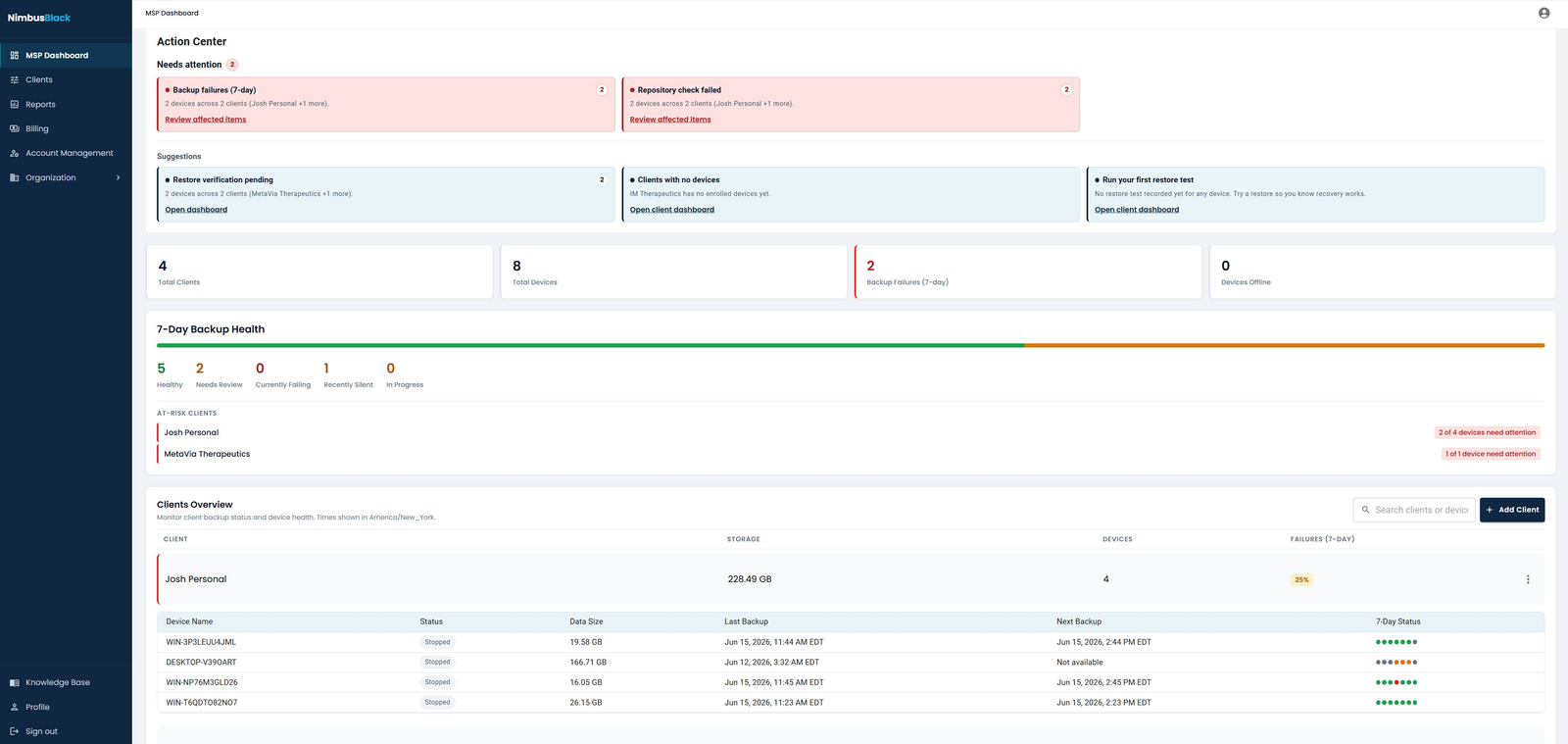
Real Nimbus Black interface. Client names and device data shown are sample data, not live customer backups.
What the platform does today.
A deliberately focused feature set for endpoint and file backup — not a sprawling suite you have to grow into.
Multi-tenant dashboard
Every client and protected device in one console, with health visible across your whole book of business.
Windows endpoint agent
A low-friction agent for workstations and laptops, built for machines that roam between networks.
File-level backup
Protect the files and folders that matter, with efficient use of storage and bandwidth.
Restore workflows & points
Browse restore points and recover individual files or folders quickly, without a portal scavenger hunt.
Backup health monitoring
Clear signals for stale or failed devices, so problems surface before restore day.
Client reporting
Per-client backup status you can use in reviews. Reporting depth expands through the beta.
From enrollment to restore.
Enroll devices
Authorize each endpoint into the right client tenant before it backs up.
Protect files
The agent backs up selected files securely to the Nimbus Black cloud.
Monitor health
Watch backup health across clients and catch stale or failed devices early.
Restore fast
Find a restore point and recover the files a client needs, quickly.
Reporting, verification, and proof of recovery.
Backups are only useful if you can prove they work and show clients the result. These are real screens from the current beta build.
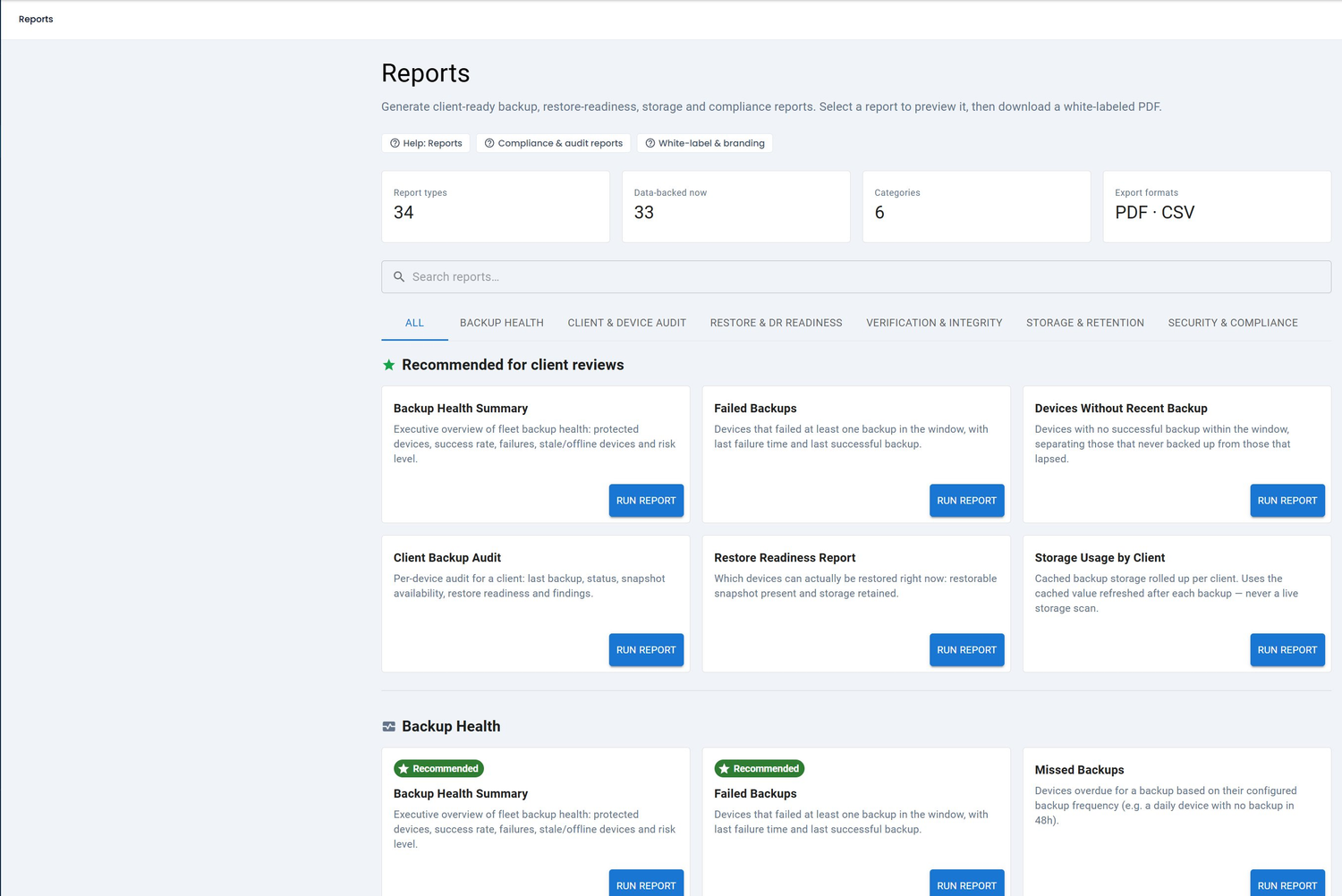
Backup health, failed backups, restore readiness, storage and compliance reports — exported to white-labeled PDF or CSV.
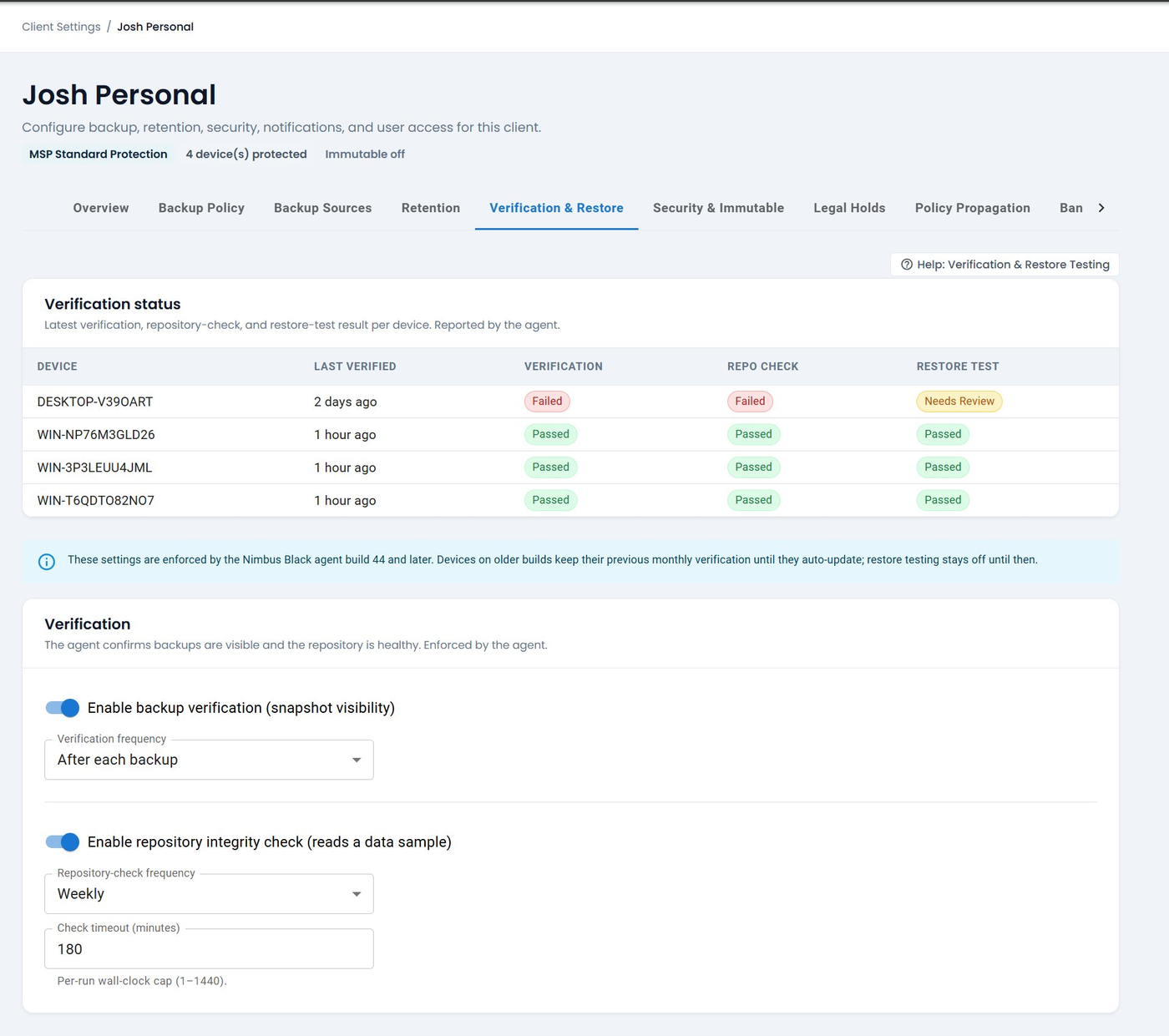
Per-client verification, repository integrity checks, and restore-test results reported by the agent.
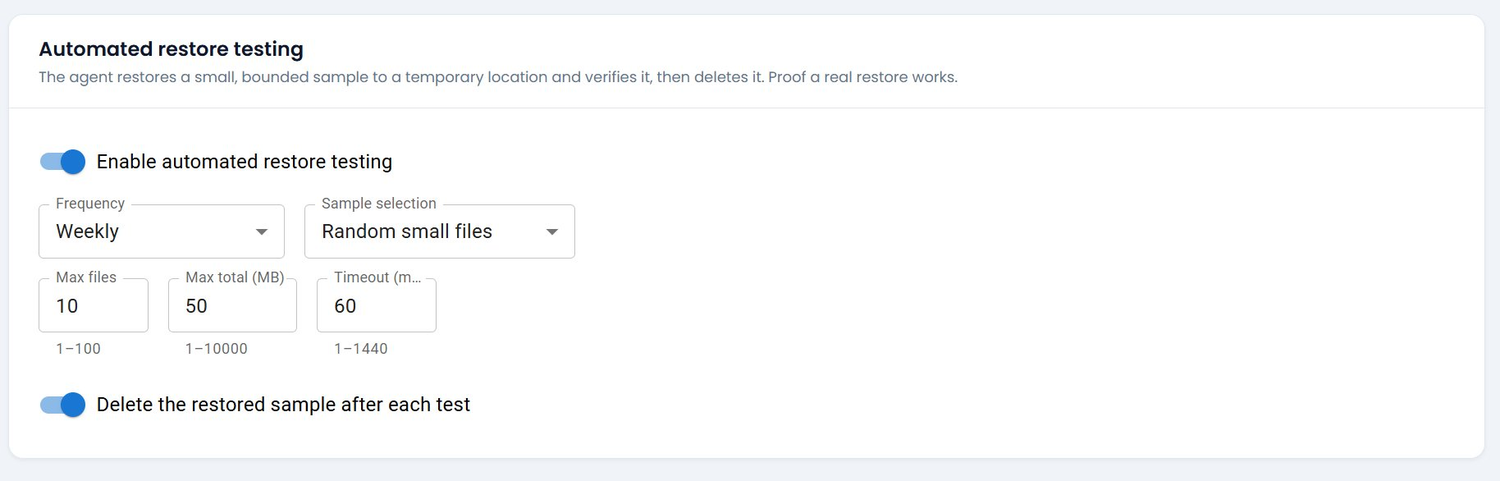
The agent restores a bounded sample to a temporary location, verifies it, and removes it — proof a real restore works.
Illustrative restore points — example retention, not live data.
Recovery you can prove, not just promise.
Backups exist to be restored. Nimbus Black keeps clear restore points per device so a technician can see what is recoverable — and validate it — before a client ever needs it.
What is in — and what is on the roadmap.
We would rather be clear about scope than imply the product does more than it does today.
| Capability | Status in current beta |
|---|---|
| Windows endpoint backup | Available — workstations & laptops |
| File-level backup | Available |
| Cloud storage (pooled per device) | Available |
| Multi-tenant MSP dashboard | Available |
| Restore points & workflows | Available |
| Backup health visibility | Available |
| Backup verification & repository integrity checks | Available |
| Automated restore testing | Available |
| White-labeled client reports (PDF / CSV) | Available |
| Role-based access, MFA & access review | Available |
| Immutable / Object Lock storage | Available in beta — via Compliance Pack |
| Image-based backup | Roadmap — not in current build |
| Microsoft 365 / SaaS backup | Roadmap — not in current build |
| Server backup & full BCDR | Roadmap — not in current build |
| Deeper PSA / RMM integrations | Roadmap — not in current build |
See the full product roadmap for sequencing.
Built around tenant trust boundaries.
Backup data is sensitive. Nimbus Black is designed with tenant separation, controlled device enrollment, encryption in transit and at rest, and an audit-friendly event history.
Illustrative architecture — security details vary by beta build and should be validated during onboarding.
Test Nimbus Black with your own endpoints
Join the private MSP beta to protect real workstations, validate restores, and tell us what your technicians need next.